

Technical SEO errors are the silent killers of online visibility. You could be publishing award-winning content, but if your website’s foundation is crumbling, you’re invisible to Google and your potential customers. Ignoring these critical technical SEO errors is like building a mansion on quicksand—it might look beautiful, but it’s doomed to sink. This guide will walk you through the five most common and damaging technical SEO errors and provide a clear, actionable path to fix them. Understanding and resolving these technical SEO issues is the first step to reclaiming your rankings and traffic.
What is Technical SEO and Why Does It Matter?

Before we dive into the fixes, let’s establish the playing field. Technical SEO refers to the process of optimizing the infrastructure of your website so that search engines can crawl and index it more effectively. It has nothing to do with your content’s quality but everything to do with its delivery. The most common technical SEO problems focus on elements like:
- Crawlability: Can search engine bots easily access all your important pages?
- Indexation: Are your pages being added to Google’s database, or are technical SEO errors preventing it?
- Site Architecture: Is your site logically structured for both users and bots?
- Site Performance: How fast does your site load for users?
Fixing technical SEO errors is non-negotiable. It creates a strong foundation for all your other marketing efforts. A site free of technical SEO issues provides a better user experience, which is a significant ranking factor. A fast, secure, and easy-to-navigate site keeps visitors engaged and converts them into customers.
Error #1: Slow Page Speed (The User Experience Killer)

In today’s digital landscape, speed is not a luxury; it’s a necessity. A slow-loading website frustrates users, increases bounce rates, and is directly penalized by Google’s algorithms. This is one of the most frequent technical SEO errors we encounter.
Why It’s a Critical Error: Every second of delay in page load time can lead to a 7% reduction in conversions. Google explicitly states that page speed is a ranking factor. If your site is slow, you are losing traffic, revenue, and credibility. It’s a foundational technical SEO issue that amplifies other problems.
How to Identify This Error:
- Google PageSpeed Insights: Provides a score and specific recommendations.
- GTmetrix: Offers detailed analysis and waterfall charts.
- Core Web Vitals Report in Google Search Console: Shows real-world user experience data.
How to Fix These Technical SEO Errors in Speed:
- Optimize Images: Compress images without sacrificing quality.
- Leverage Browser Caching: Instruct browsers to store resources locally.
- Minify CSS, JavaScript, and HTML: Remove unnecessary characters from files.
- Reduce Server Response Time (TTFB): Evaluate your hosting provider. Cheap hosting is a primary culprit for these technical SEO errors.
- Use a Content Delivery Network (CDN): Serve files from servers located around the world.
Error #2: Poor Mobile-Friendliness

With over 60% of global web traffic coming from mobile devices, your website must provide an impeccable experience. A site that isn’t mobile-friendly is alienating the majority of its potential audience. This category of technical SEO errors is especially damaging.
Why It’s a Critical Error: Google uses mobile-first indexing, meaning it primarily uses the mobile version of your content for indexing and ranking. If your mobile site is broken, difficult to use, or non-existent, your rankings will suffer drastically. It’s no longer a bonus—it’s a requirement to avoid technical SEO problems.
How to Identify This Error:
- Google’s Mobile-Friendly Test: A simple tool that analyzes a URL.
- Manual Testing: Navigate your own site on a phone. Is text readable? Are buttons easy to tap?
How to Fix Mobile Technical SEO Errors:
- Implement a Responsive Design: This is the industry best practice.
- Size Tap Targets Appropriately: Ensure buttons are large enough to be easily tapped.
- Use Legible Font Sizes: Avoid tiny text that forces users to zoom in.
- Avoid Flash: Use modern, mobile-supported technologies.
Error #3: Broken Links and 404 Errors

Broken links (links that lead to non-existent pages, resulting in a 404 HTTP status code) create a dead-end for both users and search engine crawlers. They are a classic example of technical SEO errors that signal a poorly maintained site.
Why It’s a Critical Error: For users, a 404 page is a frustrating dead end. For search engines, it wastes “crawl budget”—the limited number of pages Googlebot will crawl on your site per day. You want bots spending time on your important pages, not hitting dead ends caused by these technical SEO issues.
How to Identify This Error:
- Google Search Console: The “Coverage” report lists 404 errors.
- Screaming Frog SEO Spider: Crawls your website and provides a detailed list of all broken links.
How to Fix These Technical SEO Errors:
- Redirect Broken Links: For pages that have moved, implement a 301 redirect.
- Fix or Remove the Link: If the target page is gone, remove the broken link.
- Create a Custom 404 Page: Guide lost visitors back to your working content.
Error #4: Indexation Bloat and Crawl Waste

Not every page on your website deserves to be in Google’s index. Pages like admin panels, thank-you pages, and duplicate content can be indexed, diluting your site’s search presence. Controlling indexation is key to solving these technical SEO errors.
Why It’s a Critical Error: When low-value pages are indexed, they compete with your important pages for ranking. This confuses Google about what your site’s true focus is. It also wastes precious crawl budget on pages that provide no SEO value, a major technical SEO problem.
How to Identify This Error:
- Site:search Command: Perform a
site:yourdomain.comsearch on Google. Look for URLs that shouldn’t be public. - Google Search Console Coverage Report: Look for pages indexed that you don’t want to be.
How to Fix Indexation Technical SEO Errors:
- Use the robots.txt File: Instruct crawlers not to access certain sections (e.g.,
Disallow: /wp-admin/). - The “Noindex” Meta Tag: Adding “ to a page tells search engines not to show it in results.
- The “Nofollow” Link Attribute: Use
rel="nofollow"on links to pages you don’t endorse.
If you also would like to know more about SEO, We suggest on building a backlink. To know more about this you can click here.
Error #5: Missing or Incorrect XML Sitemap and robots.txt Files
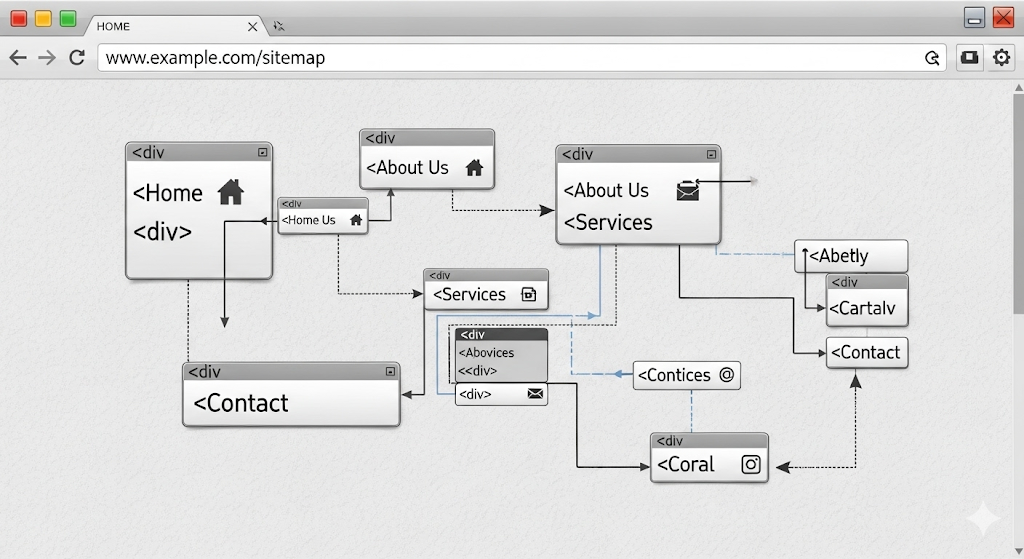
An XML sitemap is a file that lists all the important pages of your website. The robots.txt file gives crawlers instructions. Incorrectly configuring these files is a fundamental technical SEO error.
Why It’s a Critical Error: Without a proper XML sitemap, you are relying solely on internal linking for Google to find your pages. A misconfigured robots.txt file can accidentally block search engines from your entire site, causing catastrophic ranking drops. These are critical technical SEO errors to fix immediately.
How to Identify This Error:
- Check if your sitemap exists:
yourdomain.com/sitemap.xml. - Check your robots.txt file:
yourdomain.com/robots.txt.
How to Fix These Core Technical SEO Errors:
- Create and Submit an XML Sitemap: Most CMS platforms like WordPress will generate one automatically. Submit it to Google Search Console.
- Audit Your robots.txt File: Ensure it is not blocking any critical resources. Test it in Google Search Console.
Always test your robots.txt file using the testing tool in Google Search Console.
Extras: Pro Tools and Technical SEO FAQs
Mastering the basics of fixing technical SEO errors puts you ahead of most website owners. But for those who want to dive deeper and achieve a truly elite level of site health, leveraging professional-grade tools is the next step. Furthermore, let’s address some of the most frequently asked questions about technical SEO issues.
Advanced Tools for a Comprehensive Technical SEO Audit
While free tools like Google Search Console are indispensable, professional SEOs use powerful software to get a complete, unfiltered view of a website’s health. These tools can crawl your site with the same sophistication as a search engine bot, uncovering technical SEO problems that are easy to miss.
- Screaming Frog SEO Spider: This is the industry standard desktop program for technical audits. Think of it as a microscope for your website. It crawls thousands of URLs and provides terrifyingly detailed data on everything from status codes and title tags to meta descriptions and response times. It’s perfect for identifying a large volume of technical SEO errors like broken links, duplicate content, and missing tags at scale.
- Ahrefs Site Audit: A cloud-based tool that is incredibly user-friendly and powerful. It grades your site’s health on a scale from 0 to 100 and provides a prioritized list of issues to fix, from critical errors to minor warnings. Its visual reports make it easy to track your progress over time as you fix technical SEO errors.
- SEMrush Site Audit: Similar to Ahrefs, SEMrush offers a comprehensive audit tool that checks over 130 aspects of your website. One of its key strengths is its integration with the broader SEMrush ecosystem, allowing you to easily cross-reference audit data with your organic traffic performance and backlink profile to see the real impact of your technical SEO issues.
Investing in one of these tools can save you countless hours and provide the clarity needed to systematically eradicate technical SEO errors for good.
Frequently Asked Questions About Technical SEO Errors
Q1: How often should I run a technical SEO audit?
A: For most active websites, a full comprehensive audit should be conducted quarterly. However, you should monitor key areas like Core Web Vitals and indexation status in Google Search Console weekly. After any major website update, migration, or redesign, an immediate audit is non-negotiable to catch new technical SEO problems that may have been introduced.
Q2: I’ve fixed these technical SEO errors. How long until I see results?
A: Patience is key. Google needs to recrawl and reprocess your pages to recognize the fixes. For smaller changes like fixing a title tag, you might see a change in a few days. For more significant fixes, like resolving critical Core Web Vitals issues or massive indexation cleanup, it can take several weeks to several months to see the full impact on rankings and traffic. Consistency is more important than speed.
Q3: Should I fix all these technical SEO errors myself or hire an agency?
A: This depends on your technical comfort level, time, and budget. Fixing a broken link or adding alt text is simple. However, tasks like implementing 301 redirects at scale, configuring server settings for speed, or cleaning up a complex indexation mess often require developer resources and deep expertise. For businesses where their website is a primary revenue driver, hiring an expert to fix technical SEO errors is almost always a worthwhile investment that prevents costly mistakes and saves valuable time.
Q4: Are technical SEO errors more important than content?
A: This isn’t an “either/or” scenario; it’s a “both/and” partnership. Think of it this way: Technical SEO is the foundation and framework of your house, and content is the furniture and décor. You can have beautiful furniture, but if the foundation is cracked and the roof leaks, no one will want to live there. Conversely, a perfectly built but empty house is also useless. Brilliant content cannot rank if it’s built on a foundation of technical SEO errors. You need both a flawless technical setup and high-quality, relevant content to succeed.
Your Action Plan & Essential Technical SEO Glossary
Now that you’re armed with the knowledge to identify and fix these critical technical SEO errors, the next step is execution. This section provides a battle-tested action plan to guide your workflow and a glossary to demystify the common jargon you’ll encounter, ensuring you can talk about technical SEO issues with confidence.
Your 7-Day Technical SEO Rescue Plan
Tackling every error at once can feel overwhelming. This structured, one-week plan breaks it down into manageable daily tasks, creating a clear path to a healthier website.
- Day 1: Discovery & Crawl (The Investigation)
- Task: Run your website through Screaming Frog SEO Spider (free version up to 500 URLs) or use the Google Search Console Coverage report. Don’t try to fix anything today. Your goal is to gather data on the scale of your technical SEO problems. Export lists of URLs with 4xx/5xx errors, duplicate meta tags, and slow page load times.
- Tool: Screaming Frog, Google Search Console.
- Day 2: Taming the Crawl (Indexation & Sitemap)
- Task: Address indexation bloat. Use the
site:yourdomain.comsearch to find and applynoindextags to low-value pages (thank-you pages, filters, etc.). Locate or generate your XML sitemap and submit it to Google Search Console. Audit your robots.txt file for critical mistakes. - Tool: Google Search Console, your CMS (e.g., Rank Math/Yoast for sitemap).
- Task: Address indexation bloat. Use the
- Day 3: The Speed Equation (Core Web Vitals)
- Task: Focus on page speed. Run a key page (homepage, main service page) through Google PageSpeed Insights and GTmetrix. Prioritize the “Opportunities” section. Compress and resize the top 3 largest images on that page. Enable browser caching if you have access to server settings.
- Tool: PageSpeed Insights, GTmetrix, image compression plugin (e.g., ShortPixel).
- Day 4: Mobile Mastery & Link Health
- Task: Test your site on a real mobile device. Tap every button and read the text. Is it a pleasant experience? Then, open your list of broken links from Day 1. Start implementing 301 redirects for the most important broken URLs (e.g., old blog posts that had backlinks).
- Tool: Your smartphone, your website’s .htaccess file or redirect manager plugin.
- Day 5: Content Signals (On-Page Tweaks)
- Task: While not purely technical, thin content is a site-wide issue. Scan your exported list for pages with duplicate title tags and meta descriptions. Rewrite them to be unique and compelling. Ensure your primary keyword is present in the title and H1 tag.
- Tool: Screaming Frog export, CMS page editor.
- Day 6: Security & Structured Data (The Finishing Touches)
- Task: Ensure your site is running on HTTPS. Check for valid SSL certificate. If you have content like articles, events, or products, consider implementing basic structured data (Schema.org) to enhance your search listings with rich snippets.
- Tool: Your browser’s address bar (look for the padlock icon), Google’s Rich Results Test.
- Day 7: Analysis & Monitoring (The Future-Proof)
- Task: Set up monitoring. Schedule a quarterly recurring task to re-crawl your site. In Google Search Console, monitor the Core Web Vitals and Coverage reports for new errors that pop up over time. SEO is not a one-time fix but an ongoing process of monitoring and maintenance.
- Tool: Google Search Console, your calendar.
The Essential Technical SEO Glossary
Don’t get lost in the acronyms. Bookmark this glossary for quick reference.
- 200 OK: The HTTP status code for a successful request. It means the page loaded without any technical SEO errors.
- 301 Redirect: A permanent redirect from one URL to another. Crucial for fixing broken links and preserving “link equity” during site migrations.
- 404 Not Found: The HTTP status code for a page that doesn’t exist. A high number of these indicates a technical SEO problem with broken internal or external links.
- Crawl Budget: The number of pages a search engine bot will crawl on your site within a given time frame. Technical SEO errors like broken links waste this budget.
- CSS/JS: Cascading Style Sheets (CSS) and JavaScript (JS). These files control your site’s design and functionality. Search engines need to be able to crawl them to understand your page fully.
- HTTP Status Code: A server response code that indicates the status of a web page (e.g., 200 OK, 404 Not Found, 500 Internal Server Error). Monitoring these is key to diagnosing technical SEO issues.
- Indexation: The process of a search engine adding a web page to its database. The goal of fixing technical SEO errors is to ensure your important pages are indexed and your unimportant ones are not.
- JavaScript Rendering: The process where a search engine executes JavaScript code on a page to see its final content. Poor rendering is a common modern technical SEO error.
- Schema Markup (Structured Data): A code standard you add to your site to help search engines understand your content better, often resulting in enhanced “rich results.”
- XML Sitemap: A file that lists all important URLs on your site, acting as a map for search engines to ensure they don’t miss any key pages during crawling.
Conclusion: Audit, Fix, and Maintain
Fixing these five critical technical SEO errors is not a one-time project; it’s an ongoing process of maintenance and vigilance. The first step is always to conduct a comprehensive technical SEO audit using the tools mentioned. Prioritize the errors that are having the biggest impact on your site’s performance and user experience.
By methodically addressing slow page speed, ensuring mobile-friendliness, eliminating broken links, controlling your indexation, and properly using sitemap and robots.txt files, you build an unshakable foundation. This foundation allows your high-quality content and legitimate backlink profile to truly shine, propelling your website to the top of the search results where it belongs. Stop letting these hidden technical SEO errors hold your website hostage. Take action today and unlock your site’s full potential.



Pingback: 7 Deadly PPC Mistakes Burning Your Budget & How to Fix Them
Pingback: Business Impact: 10 Data-Driven Insights to Skyrocket Retention
Pingback: 10 New Winning Local SEO for Dentists for New Businesses
Pingback: A 90-Min Social Media Content Plan: From Chaos to Control